
Putting cleaners on the app
- For
- Facility managers
- Where
- Web app
- Time to read
- 4 minutes
- Time to watch
- 2 minutes
Cleaners who clock in, work a route or chat on a ticket need the KleanProof app. They sign in with their phone number, so there's no password to forget and no email address needed.
Cleaners on the app are free and never take a seat. Admins can invite anyone. Supervisors can invite the cleaners at their sites.
Step by step
1Find the cleaner
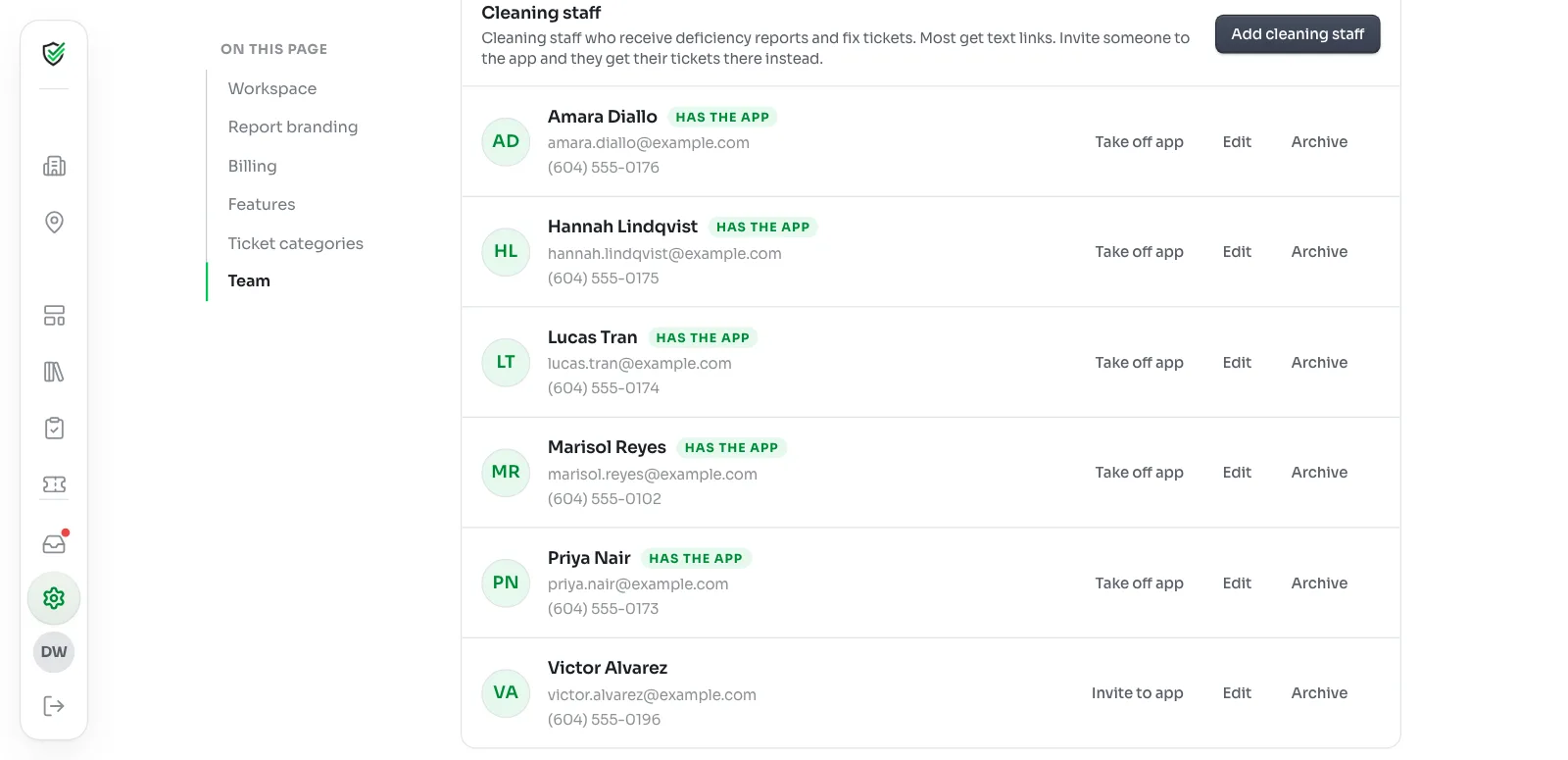
Click Settings in the left-hand menu, then Team. Scroll to Cleaning staff.
If the cleaner isn't listed, add them first. Adding cleaning staff who don't log in shows how.
2Check their phone number
Click Edit beside the cleaner. The phone number has to be the one on their own cell, because that's where the sign-in code goes.
A shared office line or a landline won't work.
3Click Invite to app
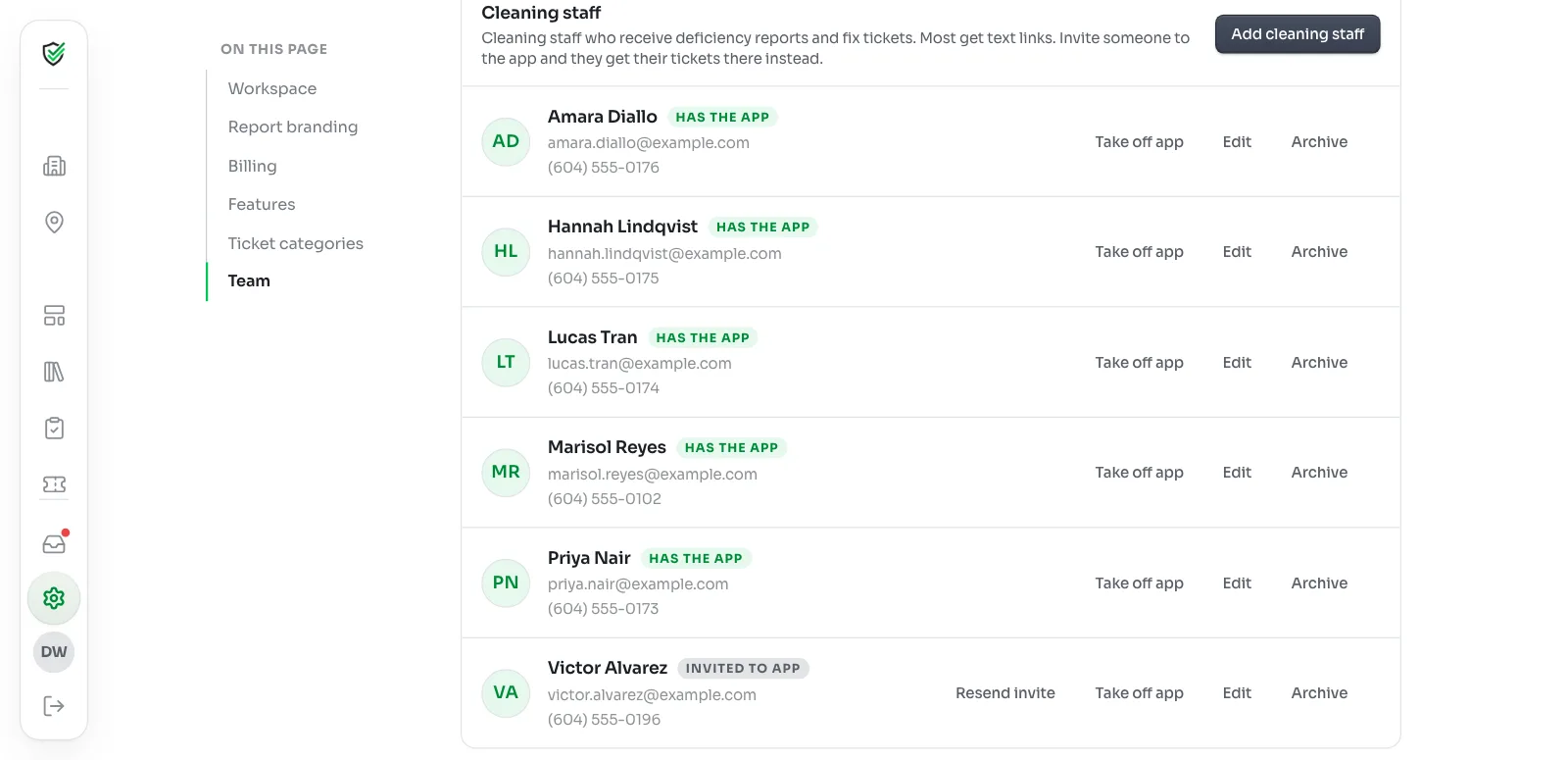
Click Invite to app beside their name. KleanProof texts them that your company added them, with a link to get the app.
Their row changes to Invited to app.
4Tell them what's next
Most cleaners get going in a couple of minutes. They install the app, tap Cleaner? Sign in with your phone, and type the code they get by text.
Their row changes to Has the app the first time they sign in. Send them Using the KleanProof app on shift if they'd like to read ahead.
5Give them a shift
A cleaner with no shift sees an empty Today tab. Add one from the site's Shifts page. Planning shifts and reading the schedule shows how.
Who should get the app
You don't have to put everyone on it. A good rule: if you'd like to see when they arrived, or which areas they finished, invite them.
Cleaners who aren't on the app can still be on the schedule. They show a No app tag and can't clock in, but they keep getting their fix links by text or email.
What changes for tickets
Once a cleaner is on the app, tickets for their site arrive as a phone notification and show under Tickets. They fix them right in the app and can talk to the office in the ticket's Discussion.
Cleaners on the links work the same as before. They don't have a Discussion.
Resending an invite
If a cleaner lost the text, click Resend invite on their row. It sends the same text again. They can also go straight to kleanproof.com/get-app. The app will know their number either way.
Taking someone off the app
Click Take off app on their row. They're signed out of your workspace and their row goes back to Invite to app. Their past shifts and hours stay in your records.
Their ticket links by text or email start again. You can invite them back at any time.
If an invite doesn't work
- Add a phone number first. Cleaners sign in with it. Click Edit and add their cell number.
- That phone number already belongs to a KleanProof login. Someone on an office login already uses this number. Use a different number for the cleaner, or change the number on that login.
- They're already on this workspace's team. They already have a login here, like an inspector or supervisor account. They can clock in with that login, so no invite is needed.
- You can only invite staff at your own sites. Your admin has limited supervisors to their own sites. Ask them to assign you to the site, or to send the invite.