
Setting up your workspace
- For
- Facility managers
- Where
- Web app
- Time to read
- 4 minutes
Your workspace is your company's home in KleanProof. Your customers, sites, team, inspections and tickets all live inside it, and everyone you invite joins it.
Setting it up takes about five minutes. You need a work email address and a credit card for the free trial, which costs nothing for the first 30 days.
Step by step
1Create your account
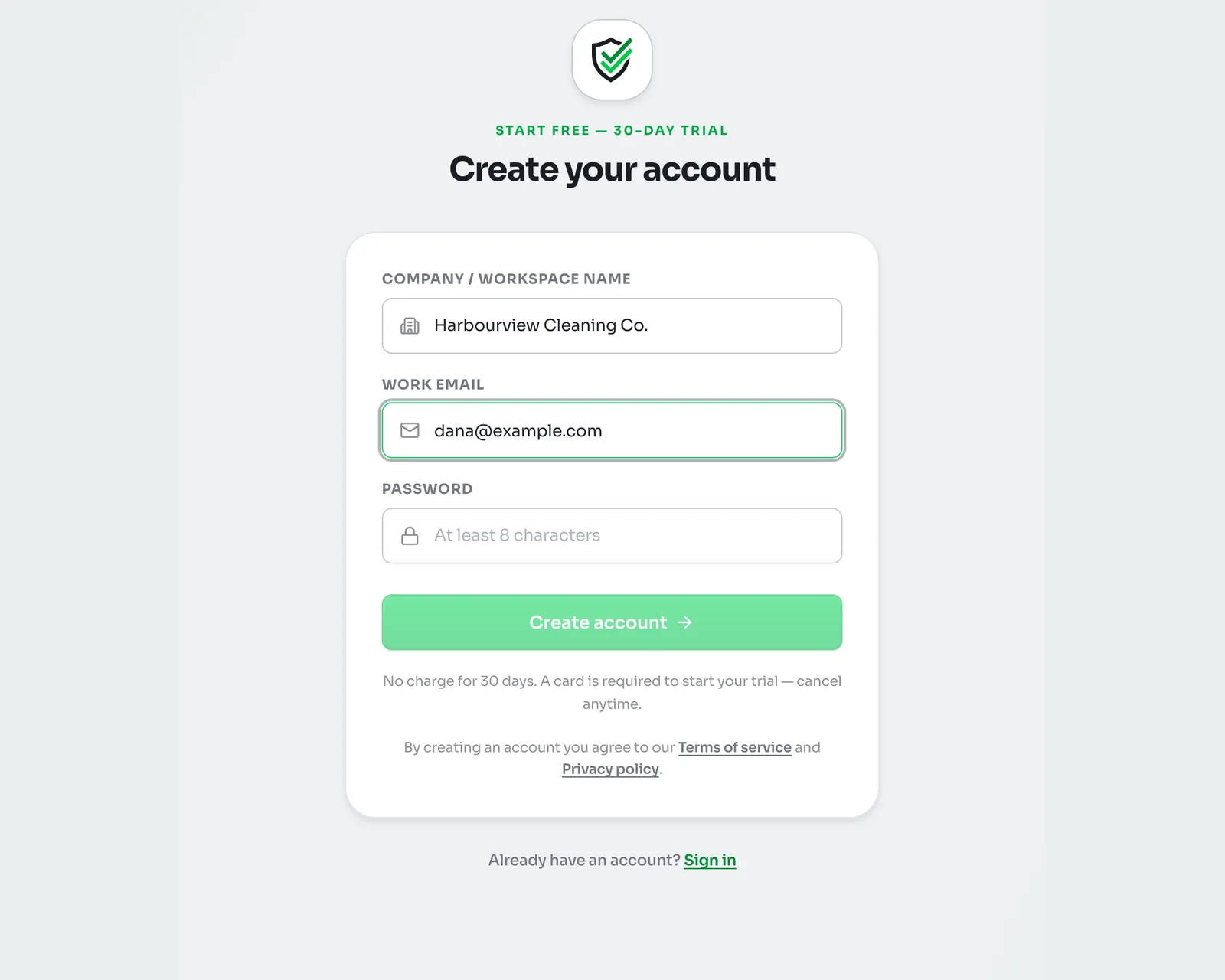
Go to kleanproof.com/signup. Type your company's name under Company / workspace name, then your work email and a password of at least 8 characters. Click Create account.
KleanProof sends a confirmation link to that email. Open it on the same computer to carry on. If it does not arrive within a few minutes, check your spam folder.
2Walk through the three setup screens
The confirmation link signs you in and opens a short setup:
- Create your workspace. Check the company name. You can rename it later.
- Complete your profile. Add a photo if you like, your full name and a phone number. The phone number is required so your team can reach you from a ticket. Pick your language here too, and KleanProof can translate team discussions into it.
- Notification preferences. KleanProof picks sensible settings for your role. Change them now or click Continue to dashboard and adjust them later.
3Start your free trial
Next, KleanProof asks you to activate the workspace. Click Start free trial, pick a plan and add a card through Stripe's secure checkout. You are not charged until the 30 days are up, and you can cancel any time before then without paying anything.
Once the trial starts, the whole app opens up. Plans and billing covers the plans and how to change them.
4Add your logo and check the name
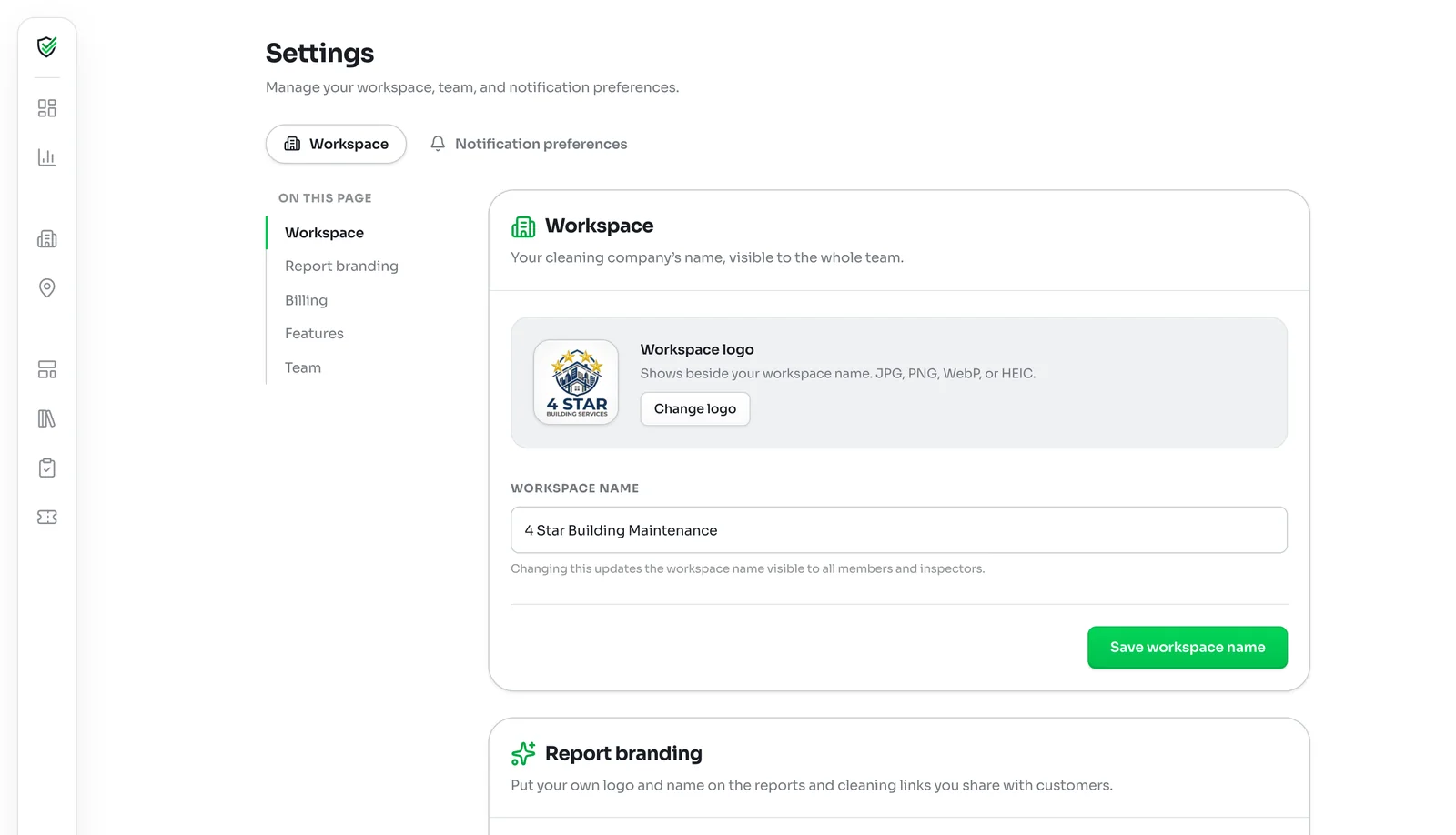
Click Settings at the bottom of the left-hand menu. The Workspace card holds your logo and your workspace name. Click Change logo to upload a JPG, PNG, WebP or HEIC image. It shows beside your workspace name for the whole team.
To rename the workspace, edit the name and click Save workspace name. Everyone in the workspace, including inspectors on their phones, sees the new name.
Only admins can change these settings. Other roles see a note that administrator access is required.
5Choose the features you use
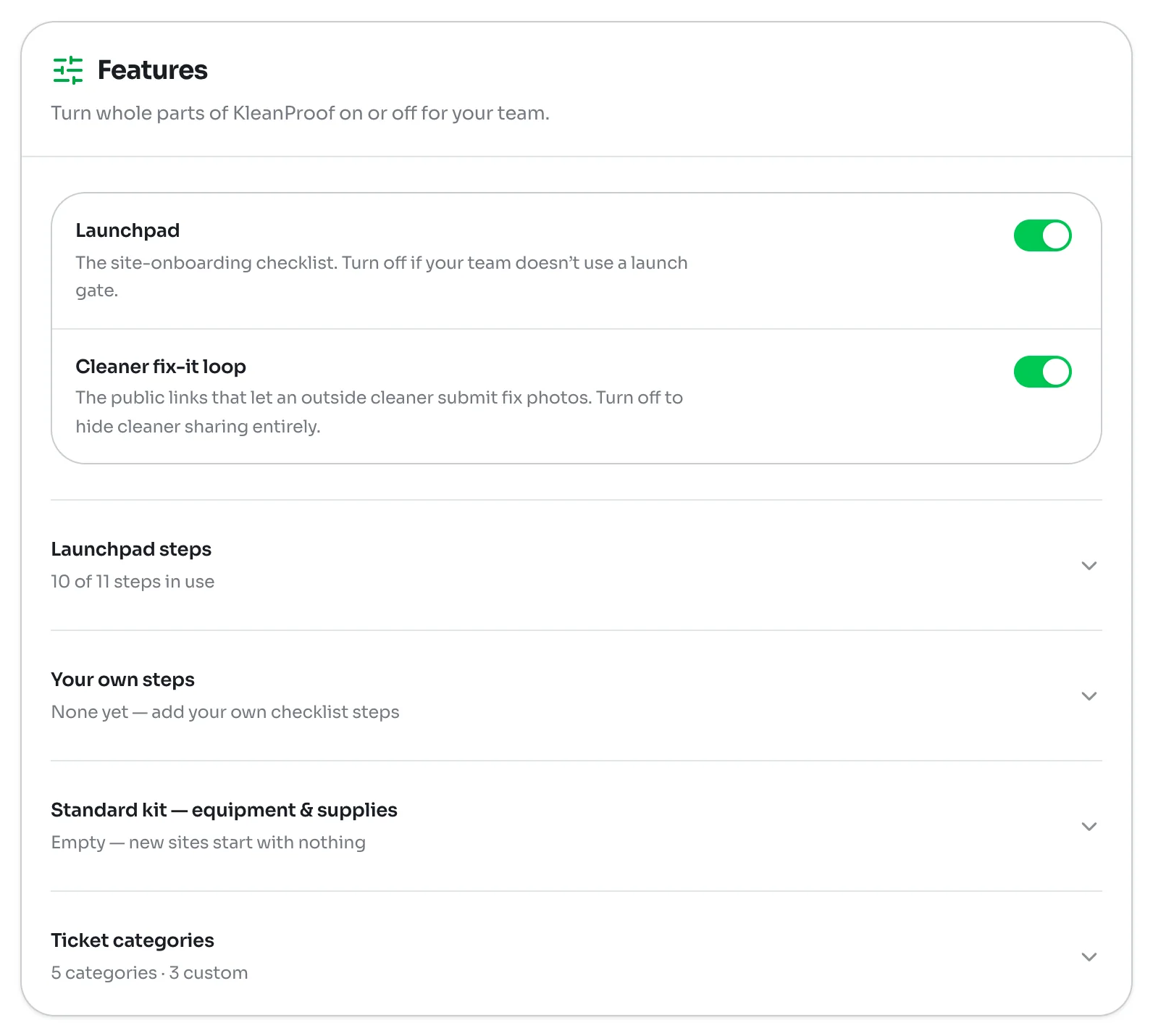
Scroll down to Features to switch whole parts of KleanProof on or off for your team:
- Launchpad is the checklist for getting a new site ready. Turn it off if your team does not run a formal launch for new buildings.
- Cleaner fix-it loop lets you send deficiency reports to cleaners by link so they can send back photos of their fixes. Turn it off to hide cleaner sharing entirely.
Below the switches are four lists you can open and edit: the standard launchpad steps, Your own steps, the Standard kit of equipment and supplies every new site starts with, and your Ticket categories.
What to do next
With the workspace ready, add your first customer and site, then invite your team: