
Clocking in and out of your shift
- For
- Inspectors
- Where
- Phone app
- Time to read
- 3 minutes
- Time to watch
- 2 minutes
If your company plans shifts in KleanProof, you clock in from the same app you inspect with. When you have a shift, a clock card shows at the top of your Home screen.
The first time, a card says You can clock in now. Tap Got it and it won't show again.
Step by step
1Clock in at the site
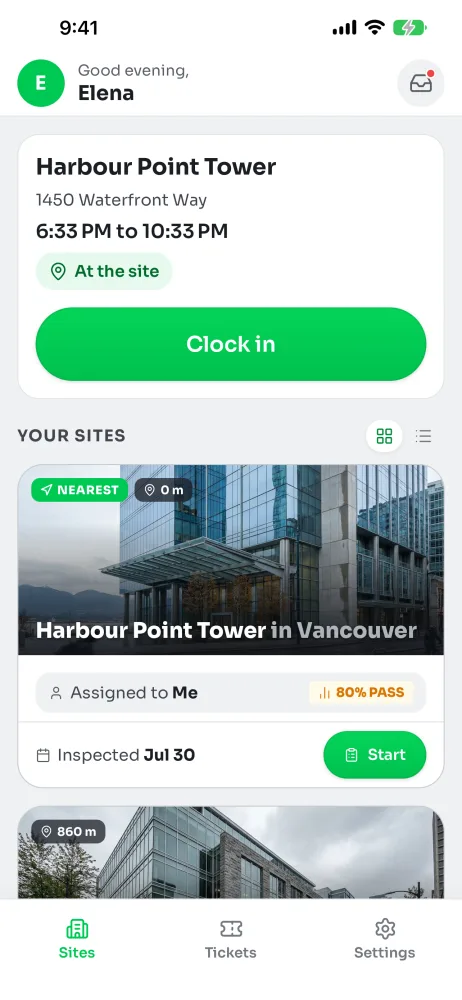
When you get to the site, tap Clock in. The app checks your location once, so the pill says At the site or how far away you are.
Early for your shift? If it's more than an hour before you start, the app asks first, so you don't clock in by accident.
2If the app says you're away
Being near the site counts, so this is rare. If it happens, move closer to the entrance and tap Try again.
If you're there and it still won't work, tap I'm here but it won't let me, then Clock in anyway. You're clocked in and your supervisor sees a note.
3Work as usual
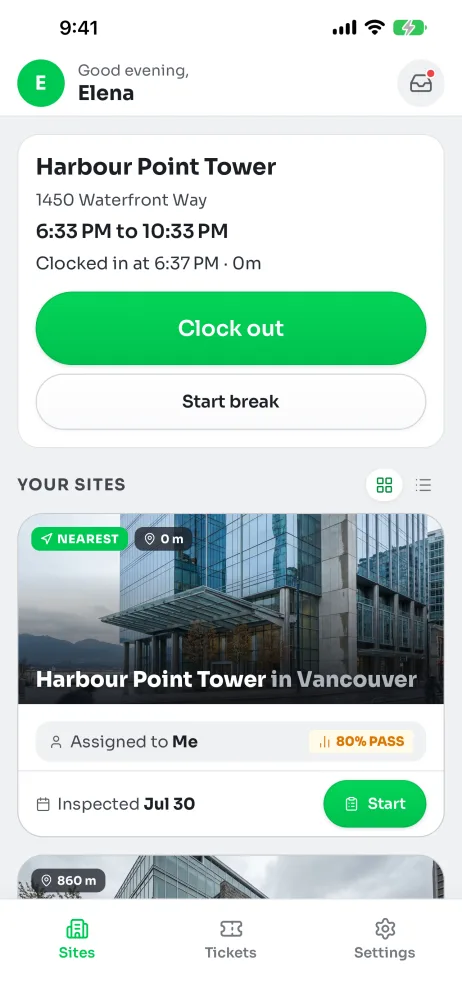
The card stays on Home and shows when you clocked in and how long you've been working. Everything else in the app works the same, so inspect like you always do.
4Take a break
Tap Start break, then End break when you're back. Breaks come off your hours.
5Clock out
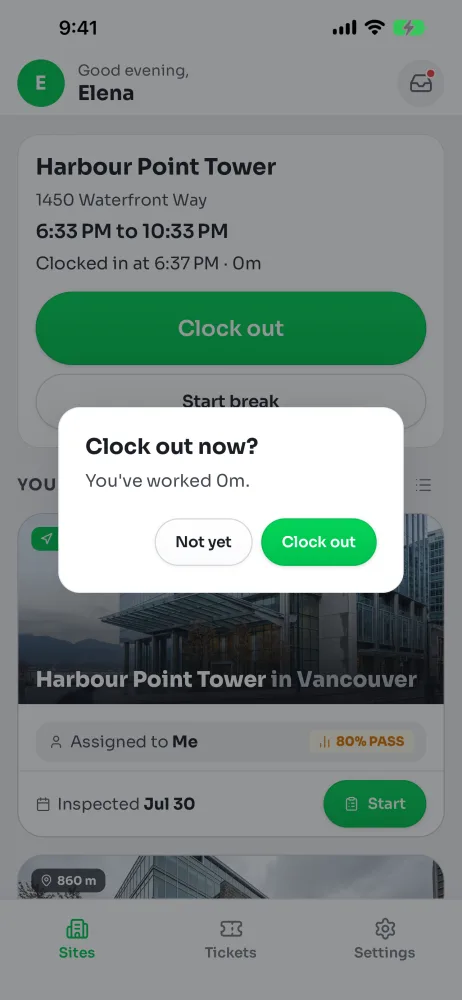
Tap Clock out when you leave. The app shows the time you've worked and asks you to confirm. Your location is checked once more. The app doesn't track you during the shift.
Tapped it by mistake? Undo clock out shows for five minutes.
No signal
Clocking in and out still works. The app says it's saved on your phone and sends it when you have signal. The time you tapped is what counts.
Forgot to clock out?
Your supervisor gets an alert. The shift closes at its scheduled end time and waits for them to approve or fix the hours.
Clocking out away from the site
If you clock out somewhere else, the app tells you first. Your scheduled end time is used and your supervisor checks it.