Notification settings and the Monday digest
- For
- Facility managers
- Where
- Web app
- Time to read
- 4 minutes
KleanProof can tell you when tickets open, inspections come in or a site falls behind. Each person picks what they hear about and how, so an owner can follow every site while a supervisor hears only about their own.
Click Settings at the bottom of the left-hand menu, then Notification preferences at the top of the page. Changes save as you make them.
Step by step
1Choose what fills your inbox
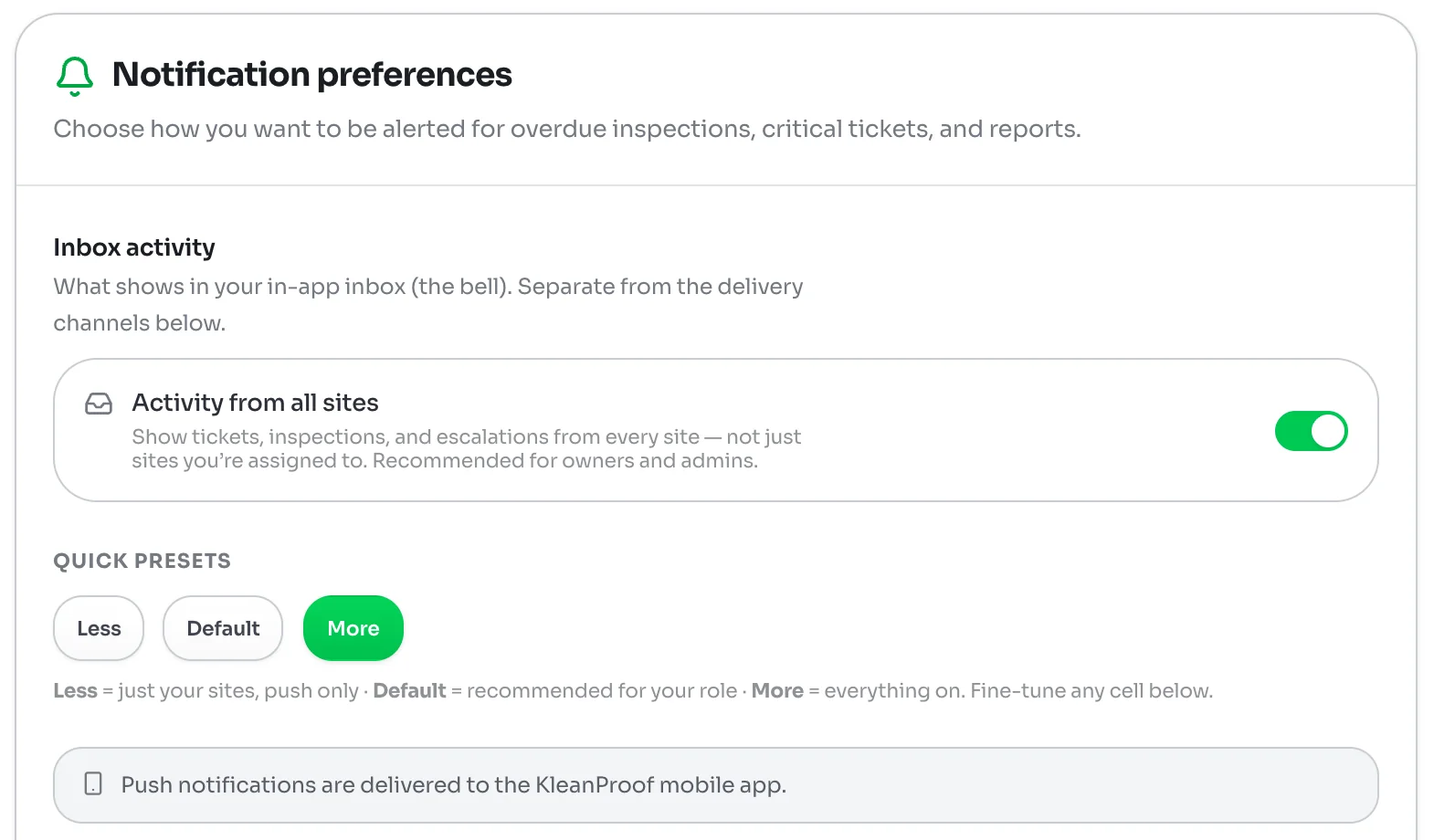
The bell in the app is your inbox. With Activity from all sites on, it shows tickets, inspections and escalations from every site. With it off, you see only the sites you are assigned to. Owners and admins usually leave it on.
The inbox is separate from email, push and text. Turning an alert off below does not hide it from your inbox.
2Start from a preset
The Quick presets set everything at once:
- Less covers only your own sites, by push only.
- Default is what we recommend for your role.
- More turns everything on.
Pick the closest one, then fine-tune the rest.
3Fine-tune each alert
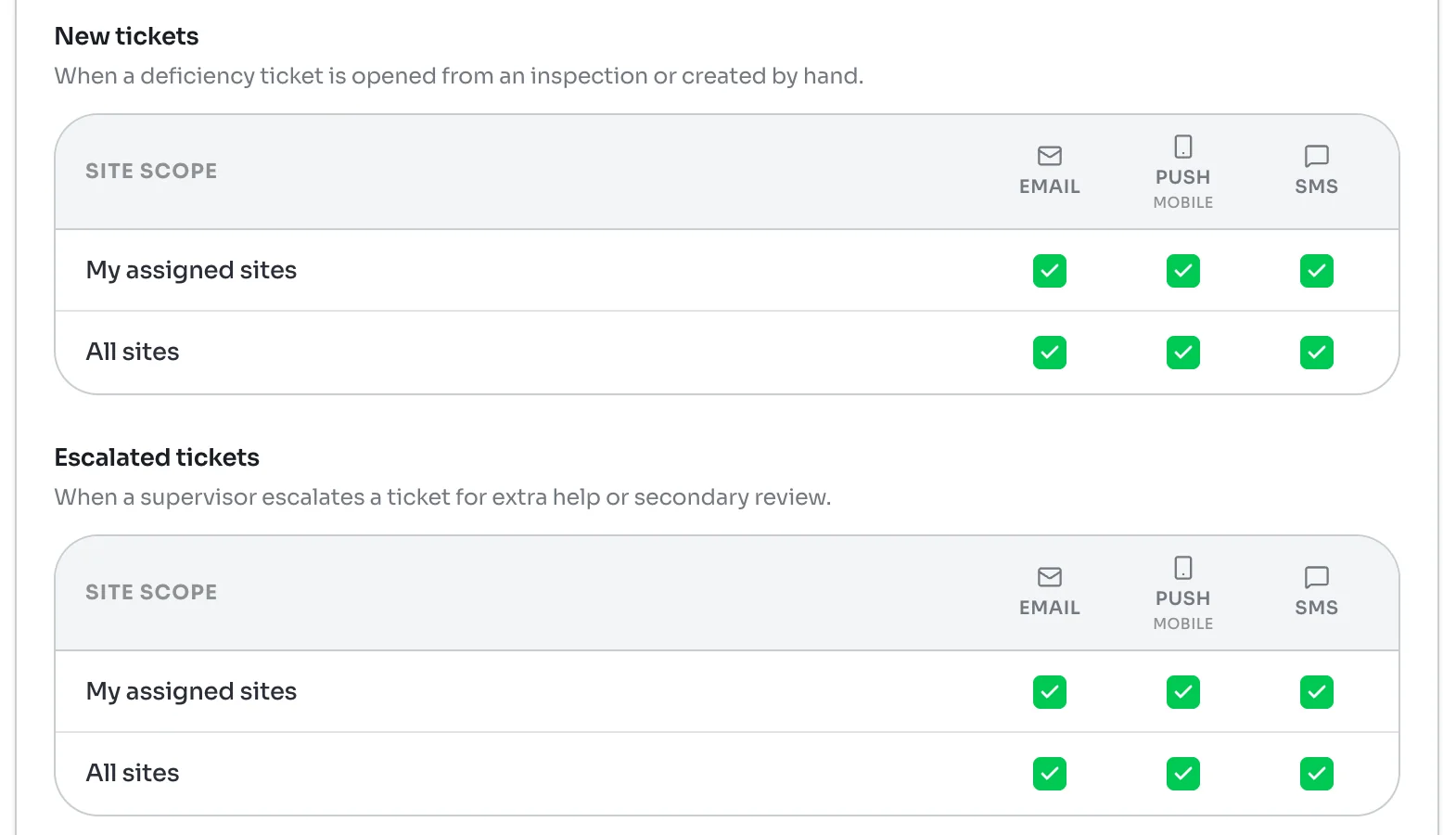
Four alerts have a grid: New tickets, Escalated tickets, New inspections and Recurring deficiencies. A recurring deficiency is a problem flagged again on a later inspection while its ticket is still open.
In each grid, the rows are My assigned sites and All sites, and the columns are Email, Push and SMS. Tick the boxes you want. For example, you might want a text for new tickets at your own sites but only an email for the rest.
Push notifications go to the KleanProof phone app, so install it and sign in to get them.
4Set how often overdue reminders repeat
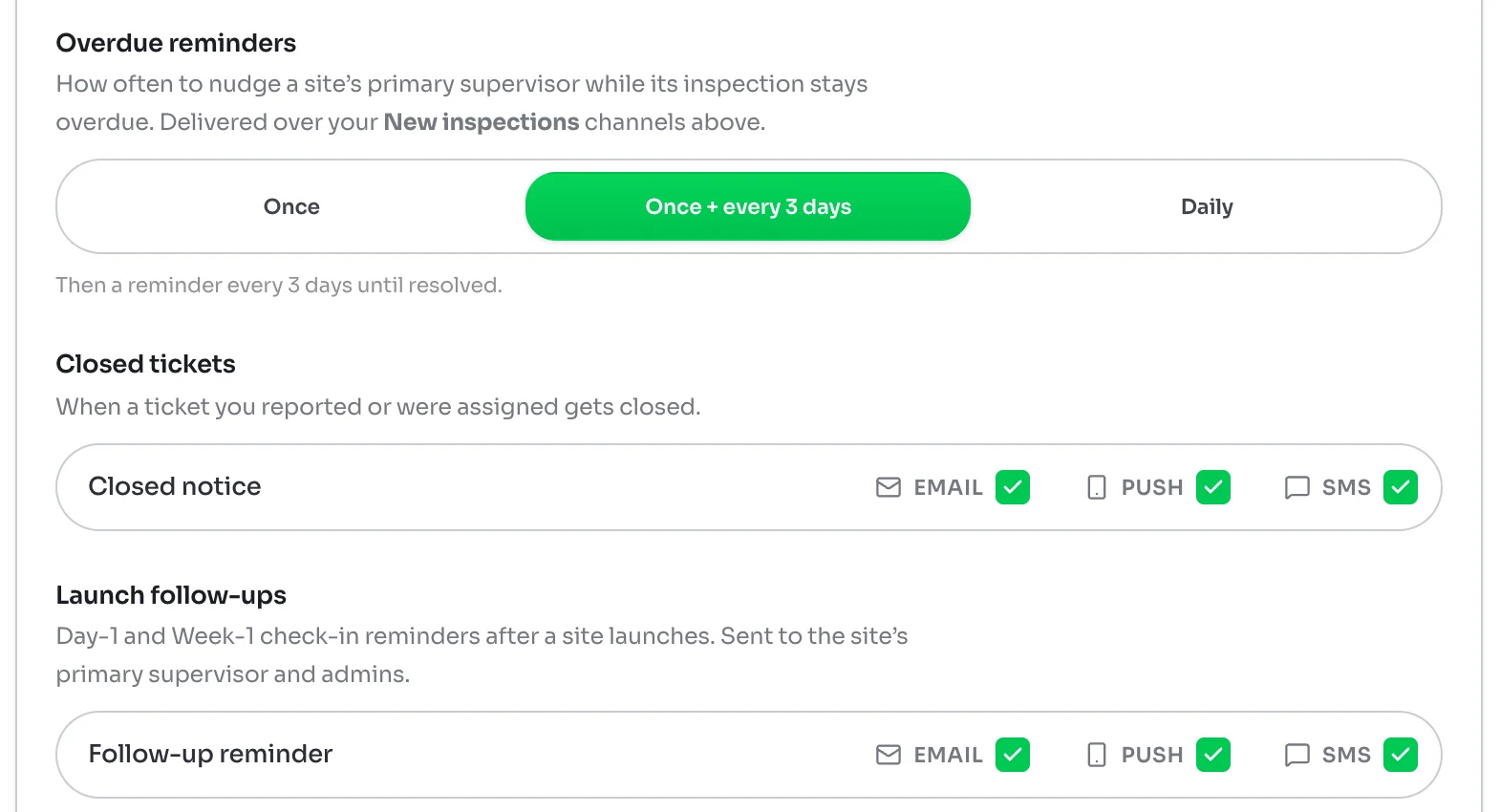
When a site's inspection is overdue, KleanProof reminds the site's primary supervisor. Under Overdue reminders, choose Once for a single alert, Once + every 3 days for a reminder every 3 days until it is done, or Daily. Reminders go out over the channels you ticked for New inspections.
Below that, choose how you hear about Closed tickets you reported or were assigned, and Launch follow-ups, the Day-1 and Week-1 customer check-ins after a site launches.
Messages and other pushes
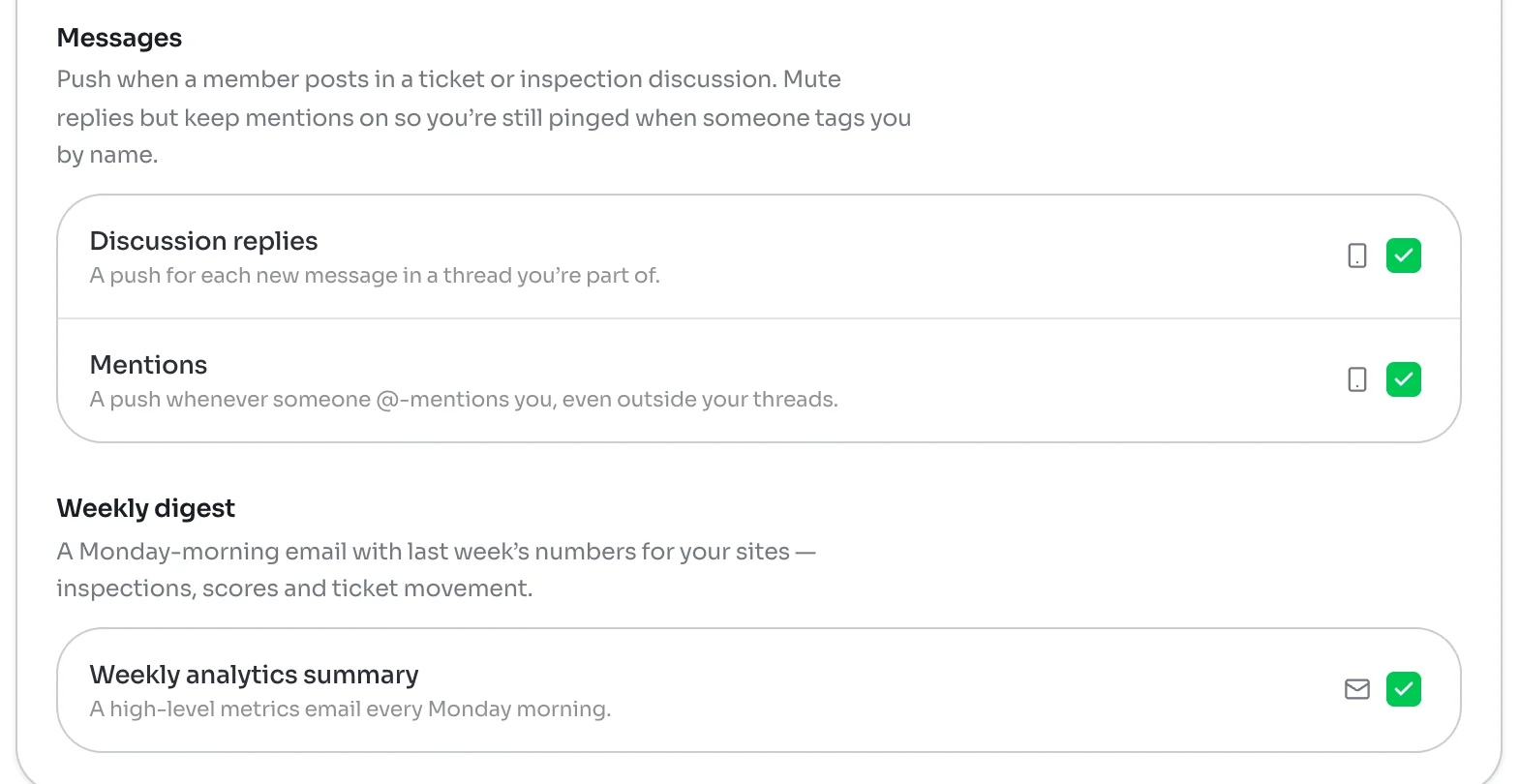
Under Messages, Discussion replies sends a push for each new message in a ticket or inspection thread you are part of. Mentions sends one whenever someone @-mentions you. To cut the noise, turn replies off and keep mentions on.
Reports pings you when a cross-site report you started is ready. Off-site inspection alerts pushes when an inspector has started several inspections away from the site over the past few months.
The Monday digest
Turn on Weekly analytics summary under Weekly digest to get an email every Monday at 7 AM in your own time zone. It covers the week that ended the night before, Monday to Sunday.
The email shows inspections, average score, tickets opened, tickets closed and tickets still open, each compared with the week before. It also names the ticket that has been open longest so you know where to start.
Admins get numbers for every site. Supervisors get the sites they are assigned to. The email still comes on a quiet week, so you know it is working.