
Importing a cleaning schedule with AI
- For
- Facility managers
- Where
- Web app
- Time to read
- 4 minutes
Most cleaning contracts come with a schedule or scope of work that lists each area of the building and what gets cleaned there, often with how often. KleanProof's AI can read that document and draft the whole inspection checklist for you, areas, tasks and repeat schedules included.
Nothing is saved until you have looked over the draft and clicked Save layout, so you stay in control of what your inspectors see.
Step by step
1Open the importer
Open the site, click Inspection layout, then Build from a document at the top of the page.
2Upload the schedule
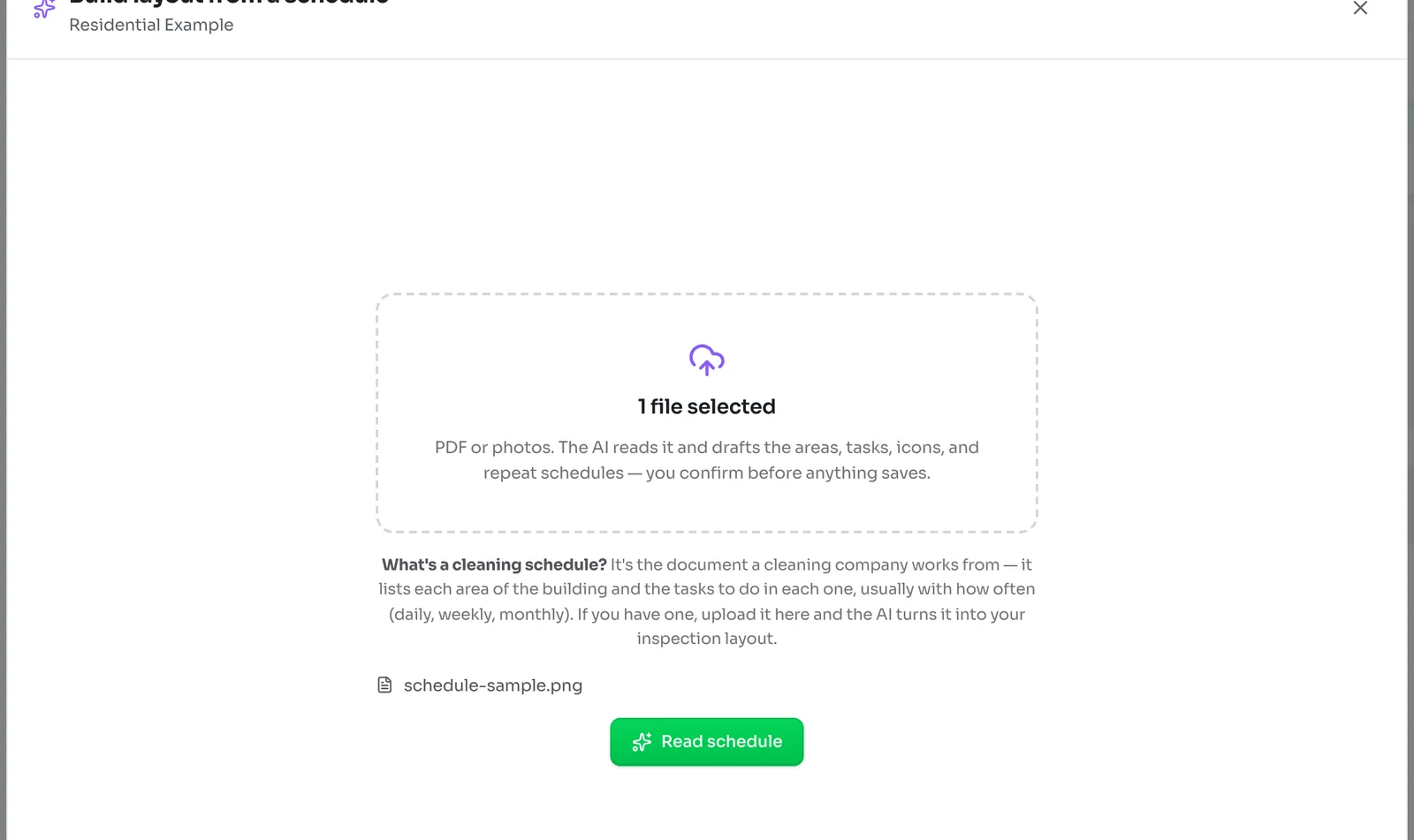
Drag the file into the box, or click it to browse. A PDF works best, and photos of a printed schedule work too. You can add several files if the schedule runs across more than one page or document.
Click Read schedule. Reading usually takes about 40 seconds.
3Look over the draft
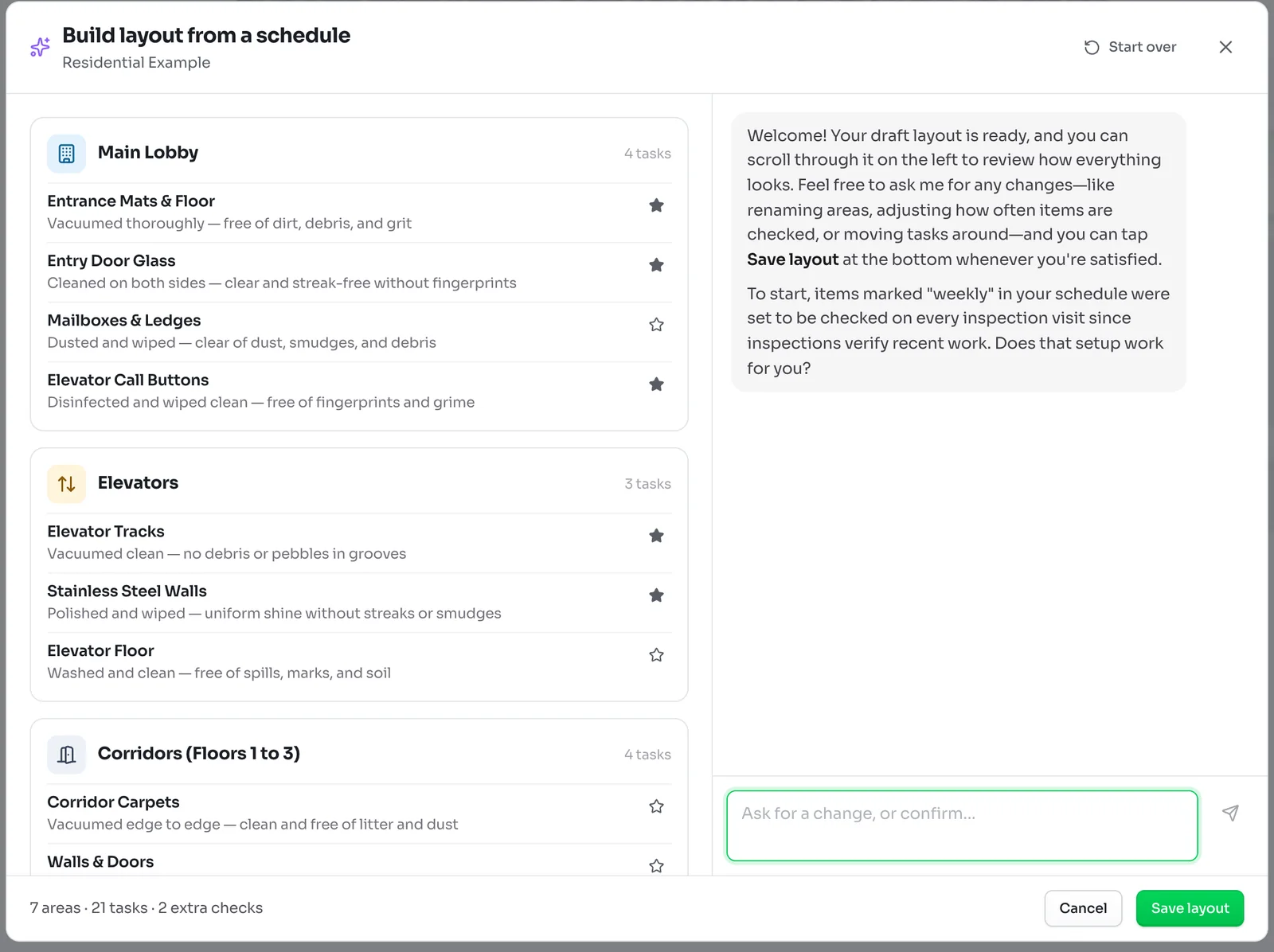
The draft appears on the left, area by area, with each task's description and a star on the ones the AI thinks matter most. The bottom line counts the areas, tasks and extra general checks it found.
On the right, the AI says hello and walks you through anything it was unsure about, one question at a time. For example, it may explain that tasks listed as weekly are set to come up on every inspection, and ask if that suits you.
4Ask for changes
Type into the box under the chat, in plain words, and press Enter. For example:
- Split Corridors into one area per floor.
- Make all the carpet shampooing quarterly.
- Remove the parking garage, we don't clean it.
- Star the washroom supply checks.
The draft on the left updates as it goes. You can send your next request while it is still working, and it gets to them in order.
5Save the layout
When the draft looks right, click Save layout. The areas and tasks are added to the site's layout, where you can fine-tune them like any other. Building a site's checklist covers the editing tools.
If the site already had areas, the new ones are added after them. Nothing already there is removed.
Getting the best result
- Upload the version your cleaners actually work from, with areas and frequencies, rather than a sales proposal.
- Photos should be flat, well lit and straight on, with the whole page in the frame.
- If the schedule mixes several buildings, upload it on each site and tell the AI which building this one is.