Building templates and the area library
- For
- Facility managers
- Where
- Web app
- Time to read
- 5 minutes
If you clean several similar buildings, you should not have to build each checklist from nothing. KleanProof gives you two ways to reuse your work:
A template is a whole-building setup, with every area, task, repeat schedule and general check. The area library holds single areas with their tasks, such as a Washroom or a Parkade, ready to drop into any site or template.
Step by step
1Find your templates
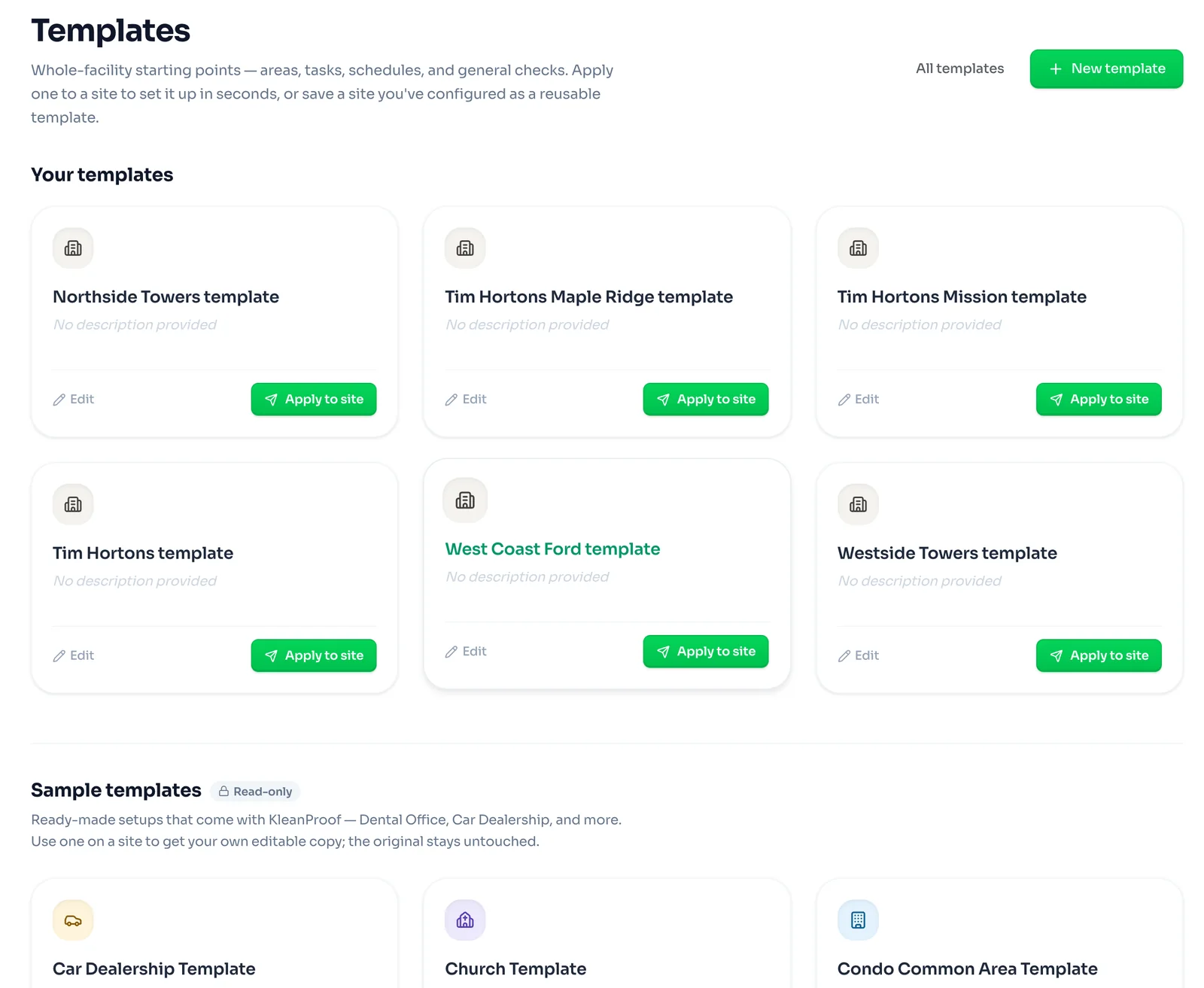
Click Templates in the left-hand menu. Your templates are the ones your team has made. Sample templates come with KleanProof for common building types, such as a car dealership, a church or a condo's common areas. Sample templates are read-only, and using one gives you your own copy to change.
2Save a site as a template
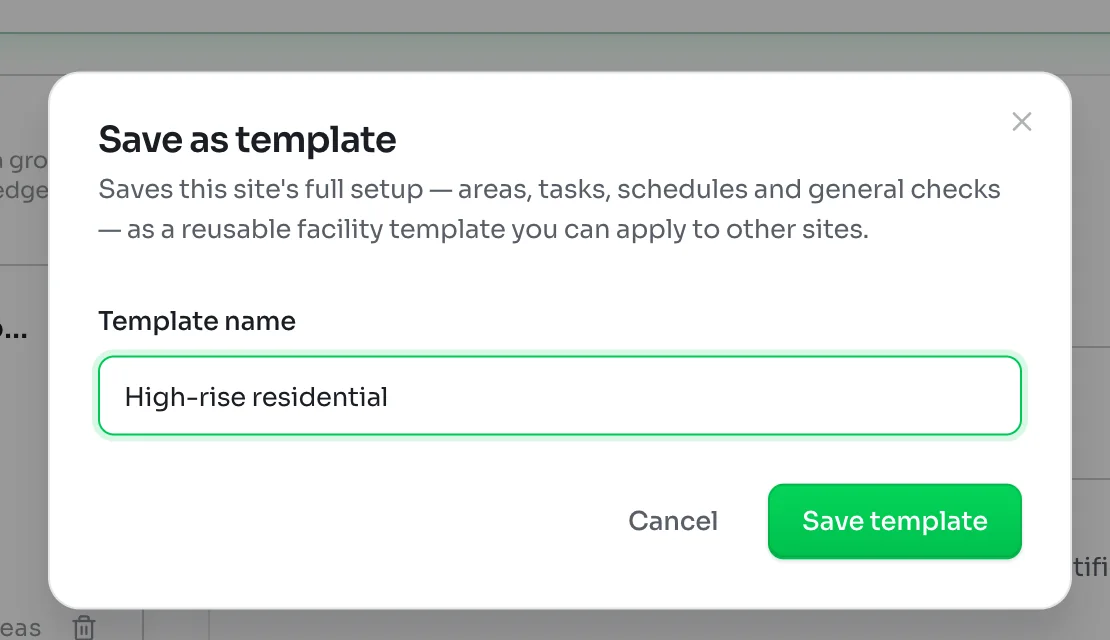
The quickest way to make a template is from a site you have already set up well. Open the site's Inspection layout and click Save as template at the top right. Give it a name that describes the kind of building, such as High-rise residential, and click Save template.
It copies the site's full setup: areas, tasks, repeat schedules and general checks. Later changes to the site do not change the template, and the other way round.
3Or build one from scratch
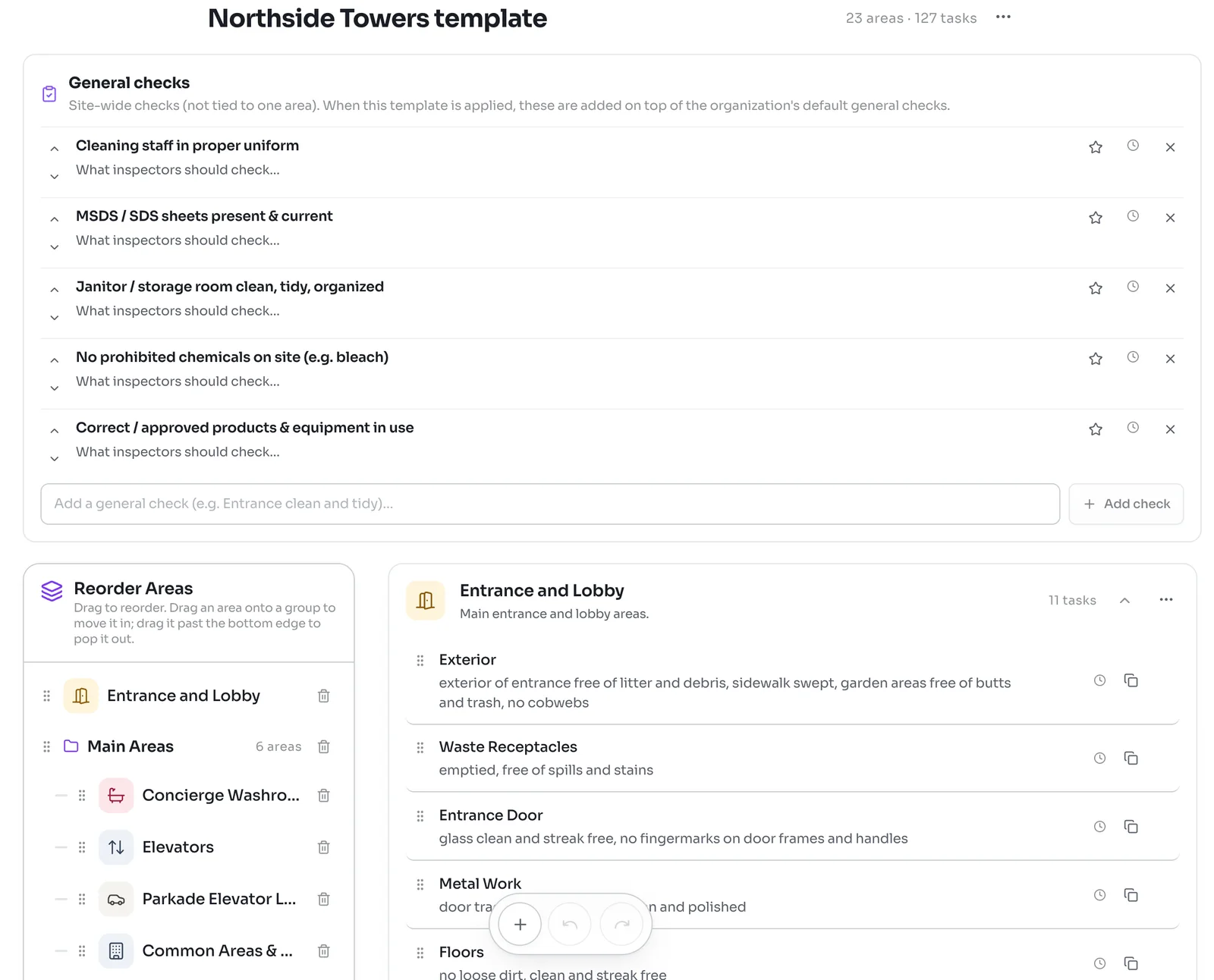
Click New template on the Templates page to start with an empty one. You build it the same way as a site's checklist, with areas from the library, your own tasks, stars on must-check items and repeat schedules. Building a site's checklist covers each tool.
A template has its own General checks list at the top. When the template is used on a site, these are added on top of your workspace's default general checks.
4Apply a template to a site
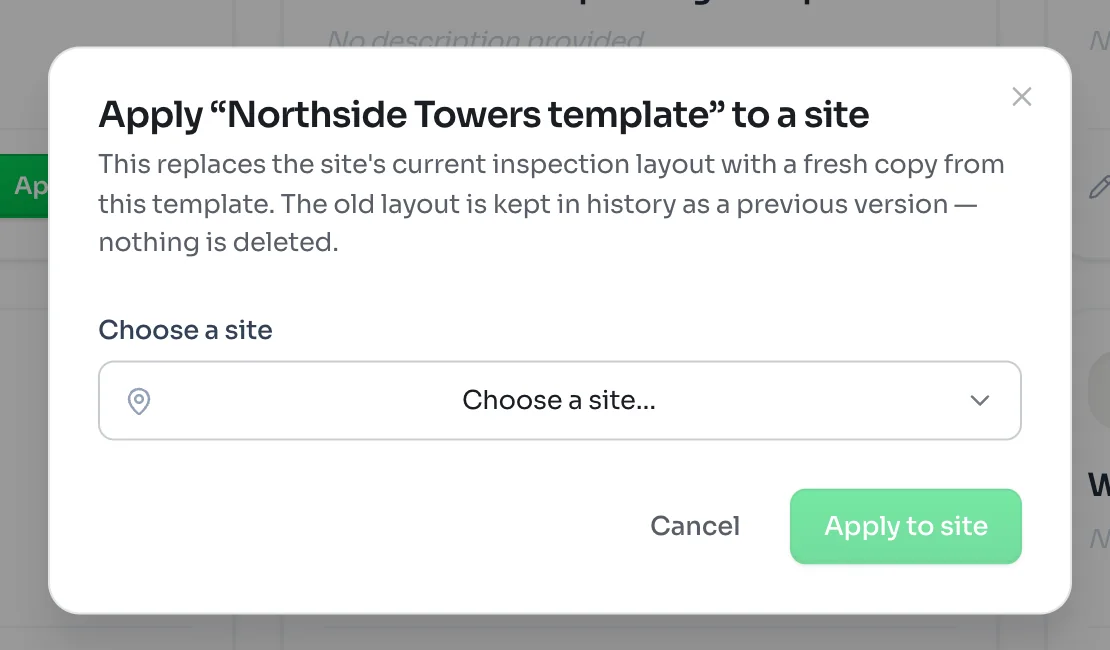
Click Apply to site on a template, choose the site and click Apply to site again. On a new site with no layout yet, you can also click Start from a building template on the layout page.
Applying a template replaces the site's current checklist with a fresh copy. The old checklist is kept in the site's history as a previous version, and past inspections keep the tasks they were rated on.
The area library
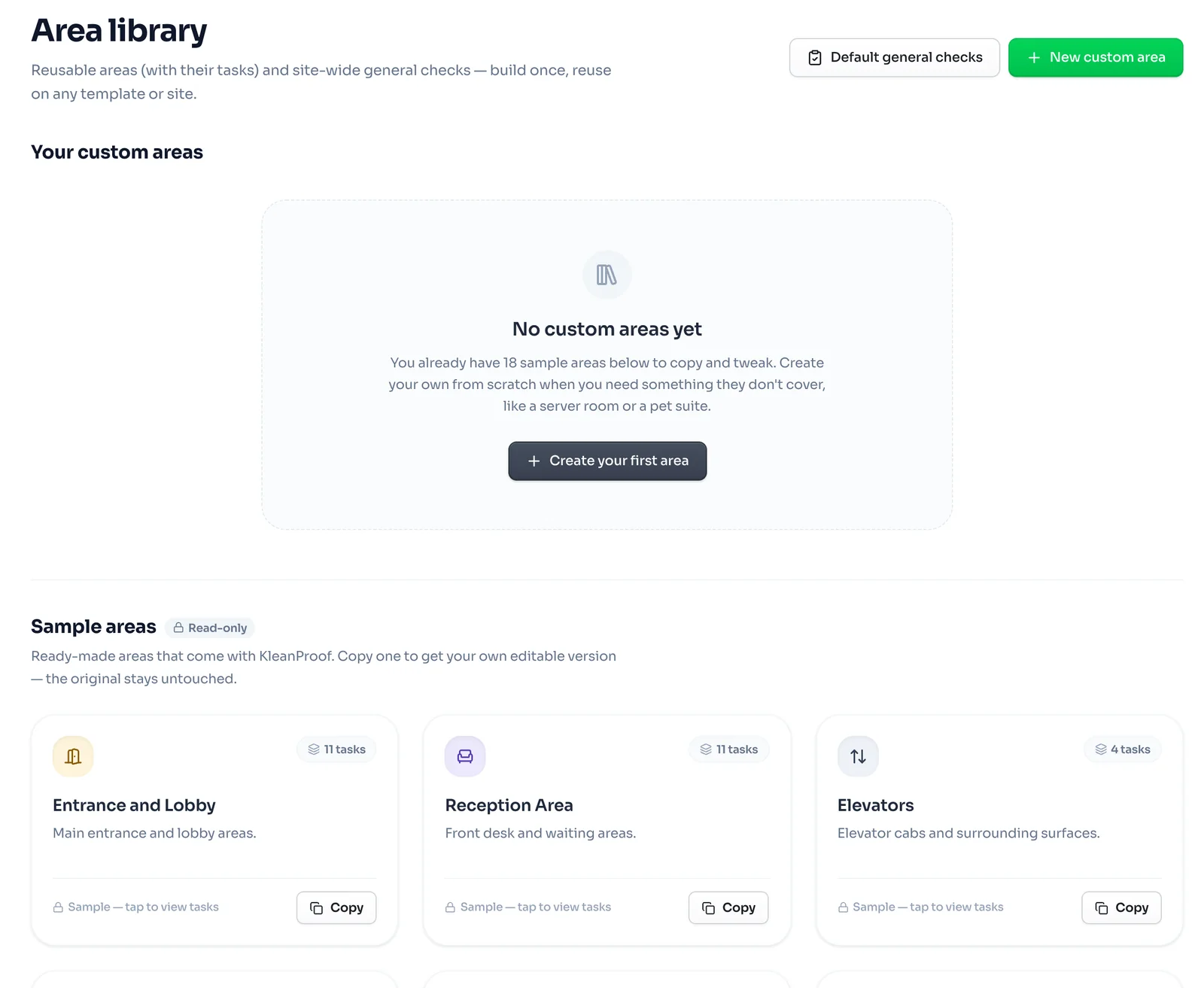
Click Area library in the left-hand menu. It holds areas you can reuse anywhere, each with its standard list of tasks.
- Sample areas ship with KleanProof, such as Entrance and Lobby, Reception Area and Elevators. They are read-only. Click Copy to get your own version to change.
- Your custom areas are the ones your team made. Click New custom area to create one for a space the samples do not cover, such as a server room or a pet suite.
Custom areas show at the top of the library whenever you add areas to a site or a template.
Default general checks
Default general checks at the top of the area library sets the site-wide checks every new site starts with, such as staff in proper uniform or no banned chemicals on site. Changing them affects sites you create afterwards. Existing sites keep their own copies.