Watching the day on the Today board
- For
- Supervisors
- Where
- Web app
- Time to read
- 4 minutes
- Time to watch
- 2 minutes
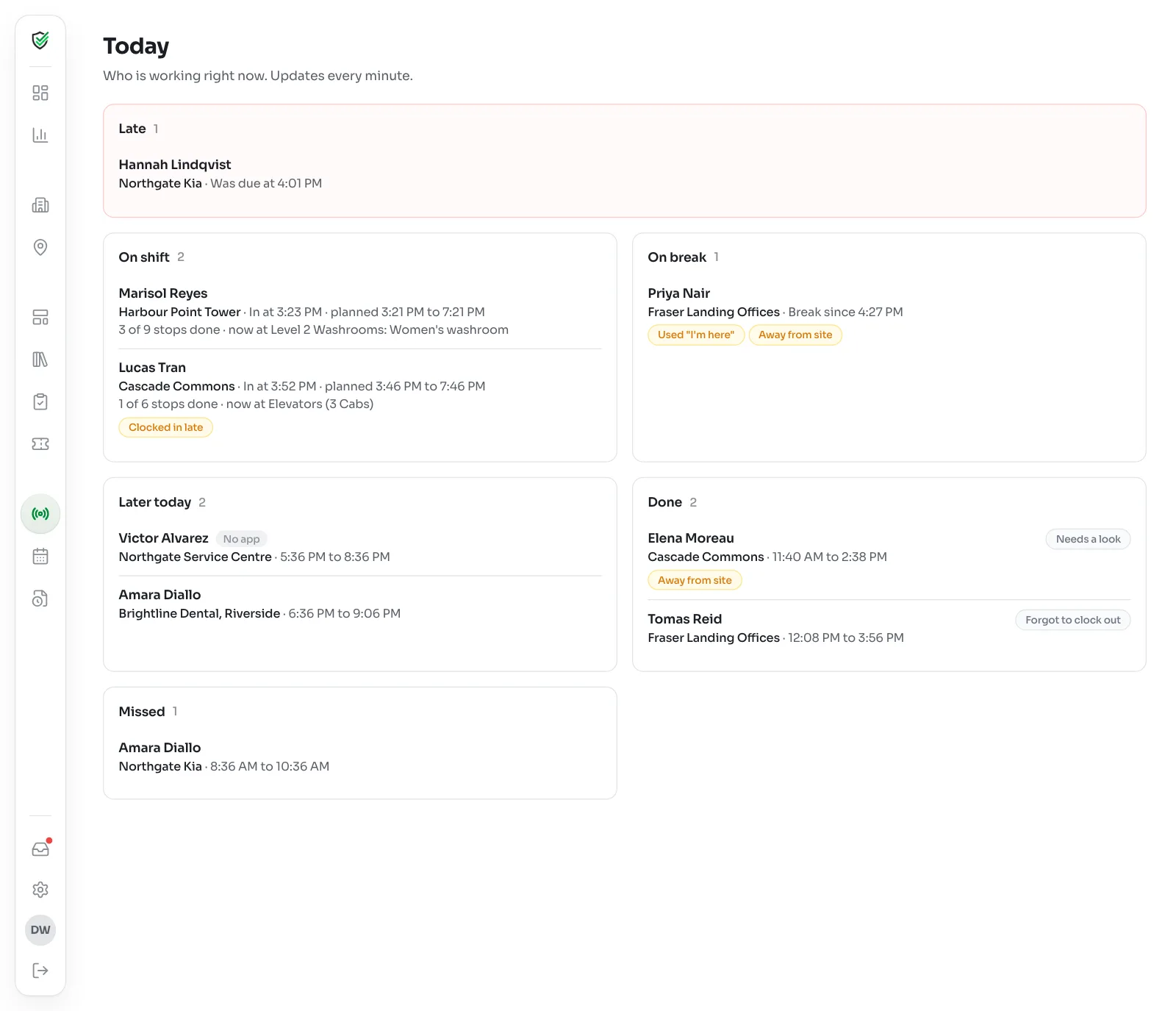
Today in the left-hand menu shows who is working right now across your sites. It updates every minute, so you can leave it open and stop making check-in calls.
If someone is still on last night's shift, they count as today until they're done.
Step by step
1Start with Late
The red Late card is at the top because it's the one you can still do something about. It lists anyone past their start time with no clock-in, and when they were due.
Give them a call. If they're on their way, nothing else is needed. They clock in when they get there and the shift is flagged Clocked in late.
2Check who is on shift
On shift lists everyone clocked in, the site, when they got in and what was planned.
If they have a route, you also see how far along they are, like 3 of 9 stops done · now at Main Lobby. It reads on a break during a break stop, and 2 skipped for now if they've moved stops to the end of their list.
3Read the small tags
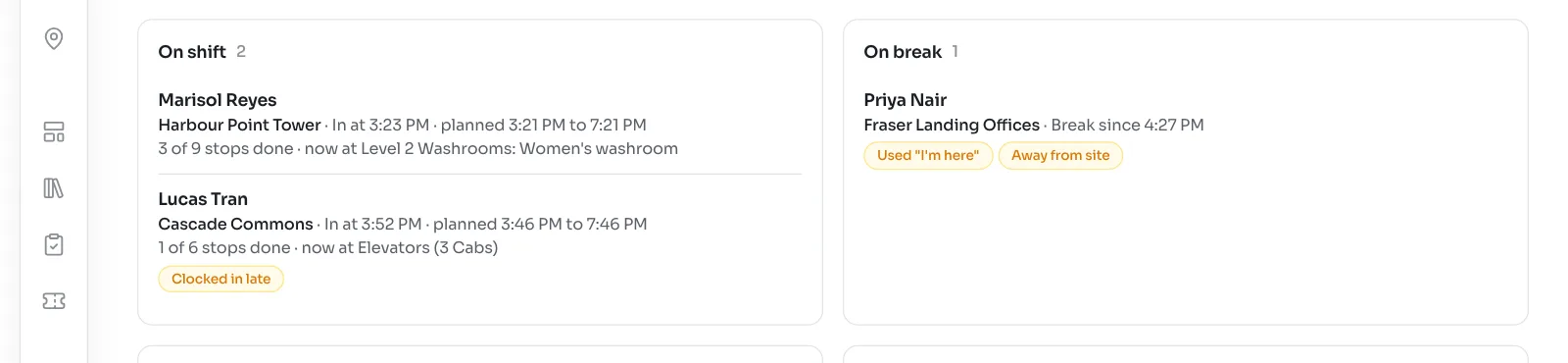
A tag under a name means something was off when they clocked in or out. None of them are accusations. They just tell you where to look.
- Clocked in late: after the start time.
- Away from site: the phone was too far from the site's map pin.
- No location: the phone couldn't find its location.
- Used "I'm here": the app thought they were away, and they told it they were on site.
- Sent late (no signal): the tap saved on the phone and uploaded later. The time they tapped is what counts.
- Phone clock was off: the phone's clock didn't match ours.
- Fake location app: the phone has an app that fakes its location. Worth a conversation.
4See what's left
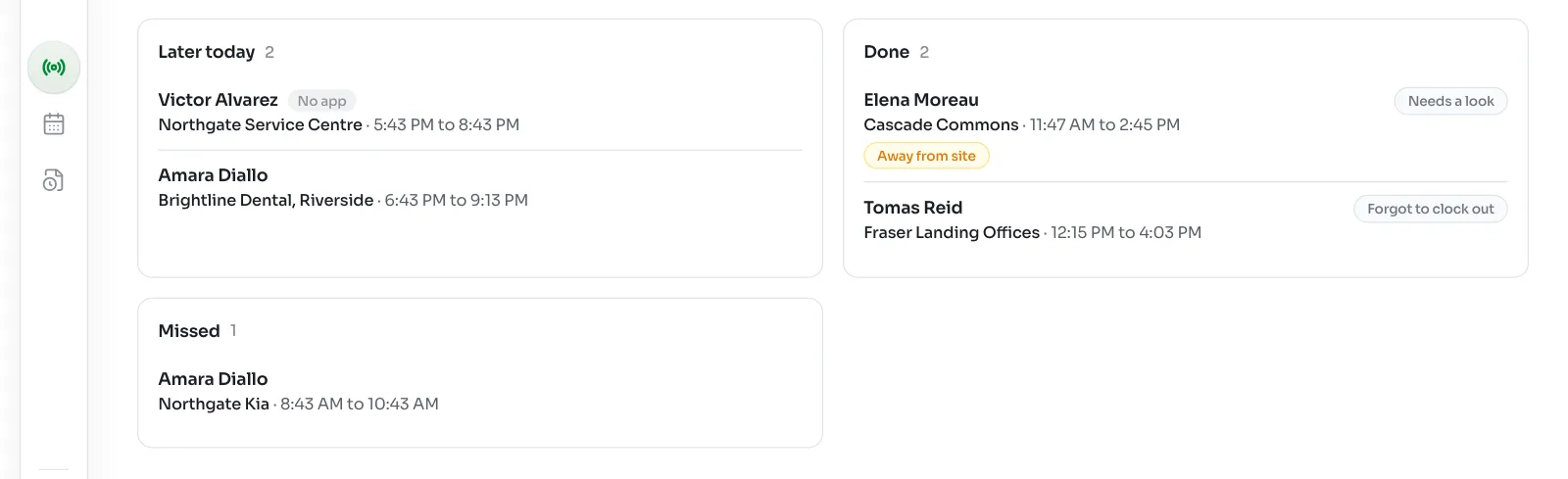
On break shows who is on a break and since when. Later today shows shifts still to come. Done lists finished shifts, with a Needs a look or Forgot to clock out tag on any waiting for approval. Missed lists shifts that ended with no clock-in.
Alerts
You don't have to keep the board open. KleanProof alerts you in the inbox and on your phone when:
- Someone is late, past your Late after time.
- Someone is still clocked in past your Forgot to clock out after time.
- A shift needs a look.
- A cleaner leaves stops unfinished. You get one note, with what was left.
Tap a shift alert on your phone to approve the hours right there. Approving hours from your phone shows how.
What happens to shifts nobody closes
If someone forgets to clock out, the shift closes at its scheduled end time and shows Forgot to clock out. You approve or fix the hours on Timesheets.
If nobody clocks in by the end of a shift, it moves to Missed and you get an alert.