
Approving hours from your phone
- For
- Supervisors
- Where
- Phone app
- Time to read
- 2 minutes
- Time to watch
- 1 minutes
You don't need to be at a computer to deal with a shift that needs a look. Supervisors and admins get an alert in the app and can sort it out in under a minute.
This is the phone side of Approving timesheets. For the full pay period and the export, use the web app.
Step by step
1Open the alert
Tap the notification on your phone, or tap the bell at the top of the app and tap the shift alert in your inbox.
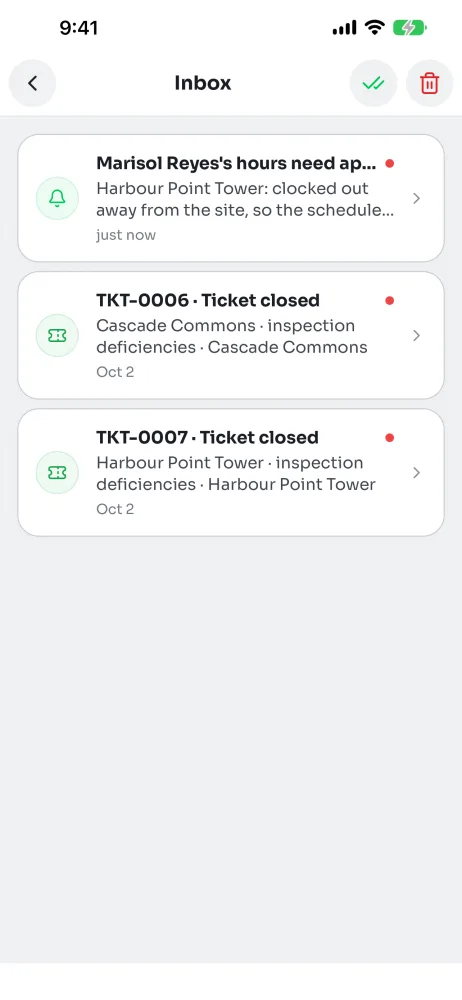
2See what happened
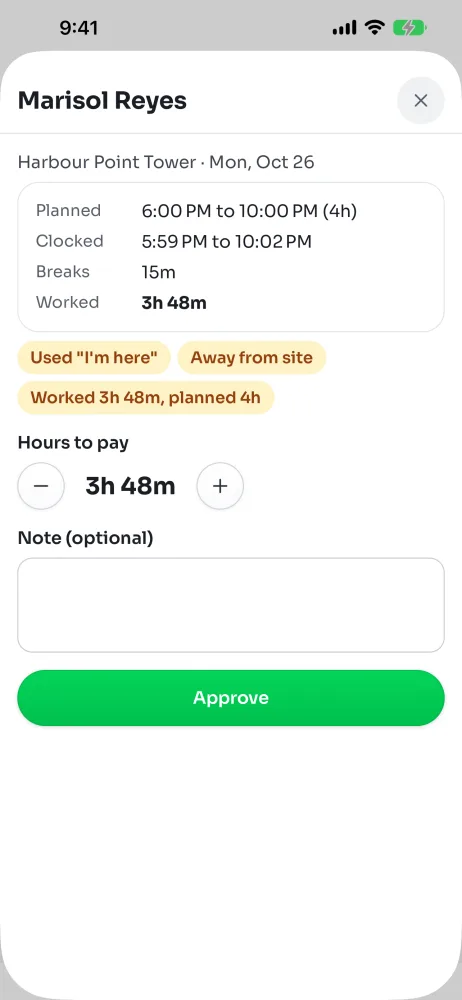
The screen shows the site and the day, what was Planned, what was Clocked, the Breaks taken and the hours Worked.
Pills under the times say what was off, like Away from site or Forgot to clock out.
3Approve it
If the hours look right, tap Approve. You can add a Note (optional) first.
4Or change the hours
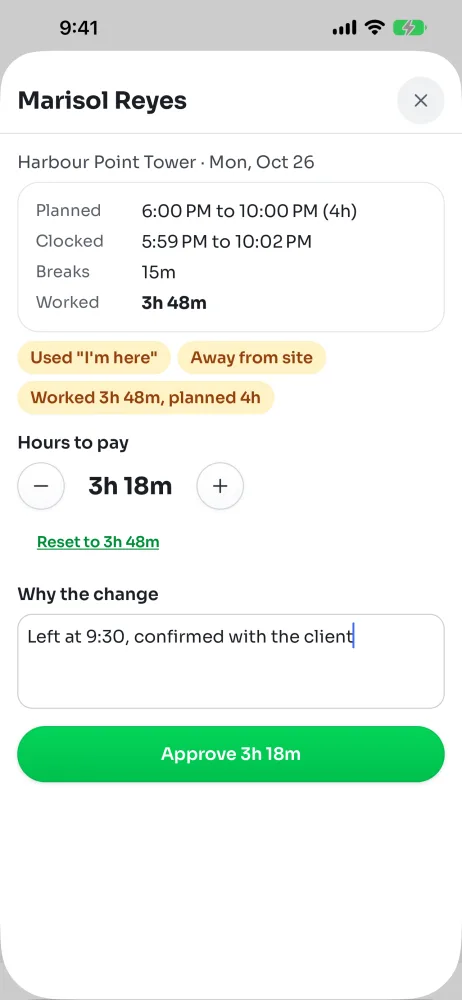
Use the buttons beside Hours to pay to go up or down 15 minutes at a time. Reset puts it back.
The note box becomes Why the change, and it's required. Say what happened, like: left at 10, confirmed with the client.
Tap Approve with the new hours. The original clock times stay on the shift.
What you might see instead
- Approved by someone: another person already dealt with it.
- This shift isn't finished yet. You can approve it once it ends.
- Approved automatically. Nothing was off about this shift.
- You can't approve your own hours. An admin can.